How Much RAM for Music Production? The Definitive Guide
How much RAM for music production depends on your workflow — here's the exact breakdown by producer type, plus a full PC build checklist.

How much RAM for music production comes down to one thing: what you're loading into your session. 16GB is the minimum I'd recommend to anyone running a real studio workflow in 2026 — but depending on your tools, you might need 32GB or more just to stop your DAW from choking. By the end of this, you'll know exactly how much to get and why.
What Is RAM in a Music Production Context?
RAM (Random Access Memory) is the short-term memory your computer uses to hold everything currently active in a session — every loaded sample, every virtual instrument, every open plugin instance. It doesn't store your files permanently; it holds them live so your CPU can access them instantly without reading from disk. The more RAM you have, the more you can keep loaded at once without your DAW freezing or throwing "memory full" errors.
Is CPU or RAM More Important for Music Production?
Both matter, but they handle completely different jobs — and confusing them leads to bad purchases.
The CPU handles real-time processing. Every time you run a plugin — Serum, FabFilter Pro-Q 3, a reverb on 12 tracks — the CPU is doing that math in real time. High plugin counts, complex synthesis, and audio rendering are CPU problems, not RAM problems.
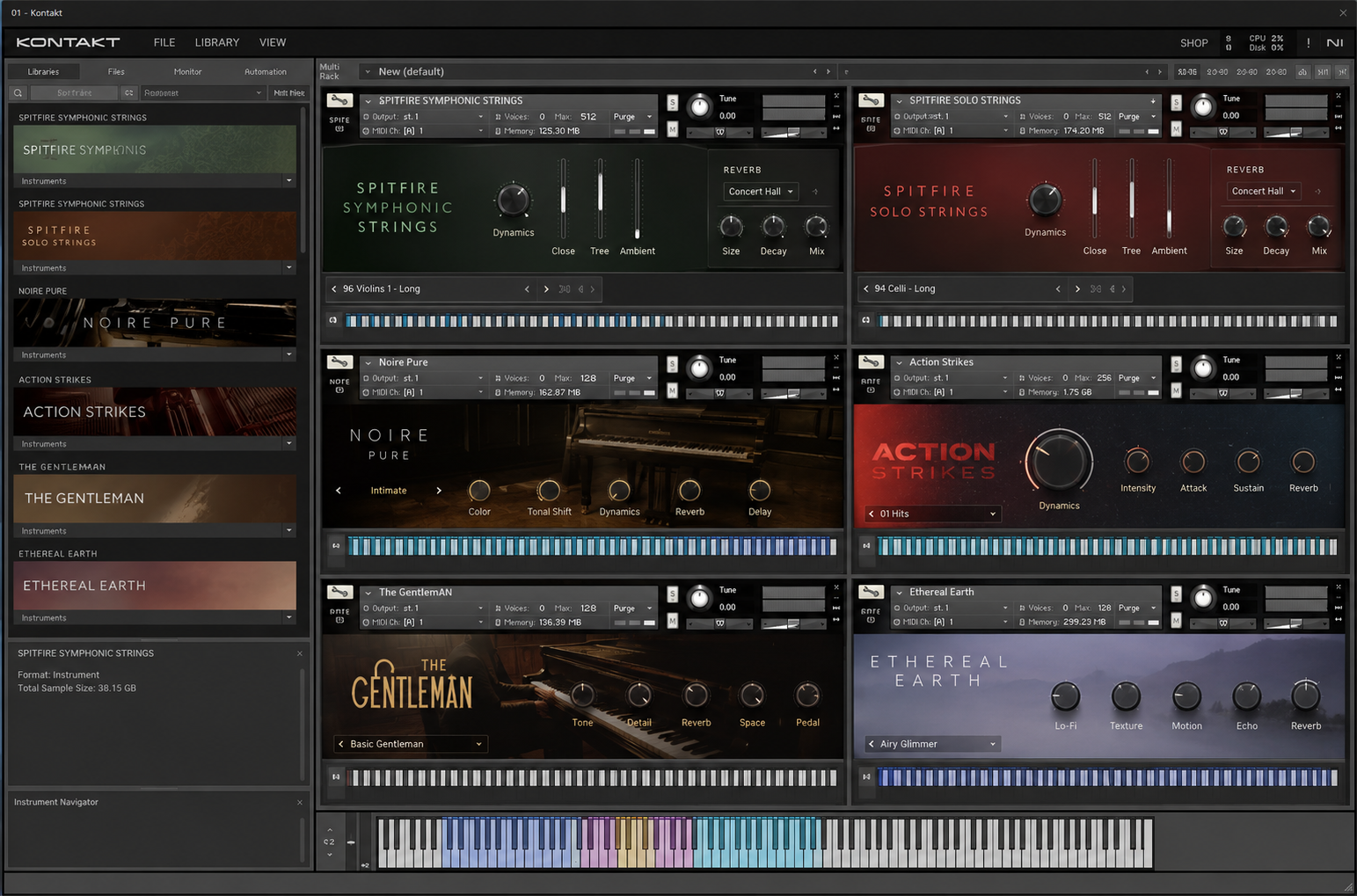
RAM handles what's loaded, not what's processing. When you open Kontakt and load a 20GB orchestral library, that data gets pulled into RAM. When you have 40 tracks of audio plus 8 sample-based instruments open simultaneously, RAM is what keeps all of it accessible without stuttering.
The analogy: CPU is the chef cooking your food. RAM is the prep table — the bigger the table, the more ingredients the chef can reach without walking to storage.
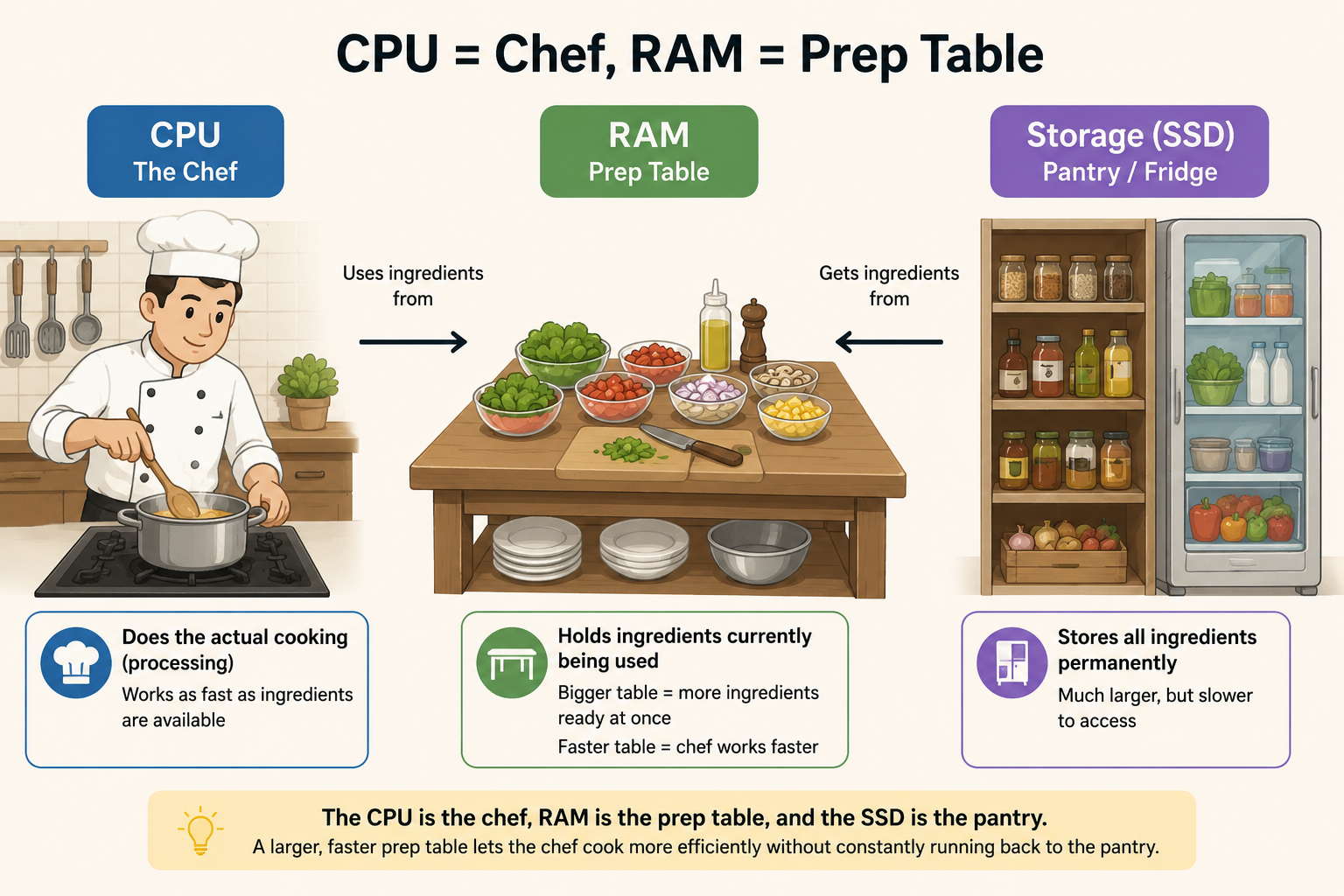
Here's how to decide which to prioritize:
- Sample-heavy workflow (Kontakt, Omnisphere, large drum machines, orchestral templates) — RAM is your bottleneck
- Synth/plugin-heavy workflow (heavy FX chains, polyphonic synthesis, complex routing in Ableton or FL Studio) — CPU is your bottleneck
- Both — You need both. Start with 32GB RAM and a modern 8-core CPU minimum.
Most producers hit RAM limits before CPU limits. Sample libraries have gotten enormous — a single Spitfire library can eat 8–10GB of RAM just loading one instrument.
RAM Breakdown by Producer Type
Best overall starting point for most independent producers: 16GB. If you're doing anything with sample libraries or running 30+ tracks regularly, go straight to 32GB.
| RAM | Who It's For | DAW Performance & Limitations |
|---|---|---|
| 8GB | Absolute beginners, MIDI-only, no sample libraries | Fine for basic FL Studio or GarageBand sessions. Will struggle with Kontakt, Omnisphere, or sessions over 20 tracks. Expect crashes. |
| 16GB | Intermediate producers, moderate plugin use, small-to-mid sample libraries | Handles most workflows comfortably. Logic Pro, Ableton, FL Studio all run well. Occasional pressure with 3+ Kontakt instances. |
| 32GB | Heavy sample library users, orchestral producers, large Ableton Live sets | Runs multiple Kontakt/Omnisphere instances without breaking a sweat. Recommended for anyone building complex templates. |
| 64GB | Film/TV composers, full orchestral mockups, 100+ track sessions | Overkill for most, mandatory for some. If you're running 15+ Kontakt instances with large libraries, this is your floor. |
One thing people miss: RAM speed matters too. DDR4 at 3200MHz is the current sweet spot for most builds. Faster RAM (DDR5 on newer platforms) reduces the time it takes to transfer data to your CPU. On Apple Silicon Macs, the unified memory architecture means 16GB M-chip RAM often outperforms 32GB on older Intel chips — so platform matters.
How to Build a PC for Music Production
This is where most guides get vague. Here's what actually matters when building a dedicated audio PC. I've seen too many producers buy a solid CPU and RAM setup, then kill performance with a loud case or a spinning hard drive under their sample libraries.
Step 1: Choose Your Motherboard Carefully
Your motherboard is the foundation — everything runs through it.
- Thunderbolt support is essential if you're using an audio interface like the Universal Audio Apollo or Focusrite Red series. Check that your board has Thunderbolt 4 headers or native support — not all do.
- PCIe lanes determine how many NVMe drives and expansion cards you can run simultaneously. For a music PC, a mid-range board (Z790 or B650 for Intel/AMD) is more than enough.
- Avoid budget boards with loud power delivery — they can introduce electrical noise into your signal chain, especially if you're recording with the PC in the same room.
Step 2: Storage — NVMe SSD Is Non-Negotiable
If you're using sample libraries, NVMe SSD is mandatory. Not optional.
A 7-inch orchestral run from a Spitfire library calls hundreds of samples in real time as you play. A 5400RPM hard drive can't keep up — you'll hear dropped notes, clicks, and crackles. An NVMe SSD loading at 3,000–7,000 MB/s eliminates that problem entirely.
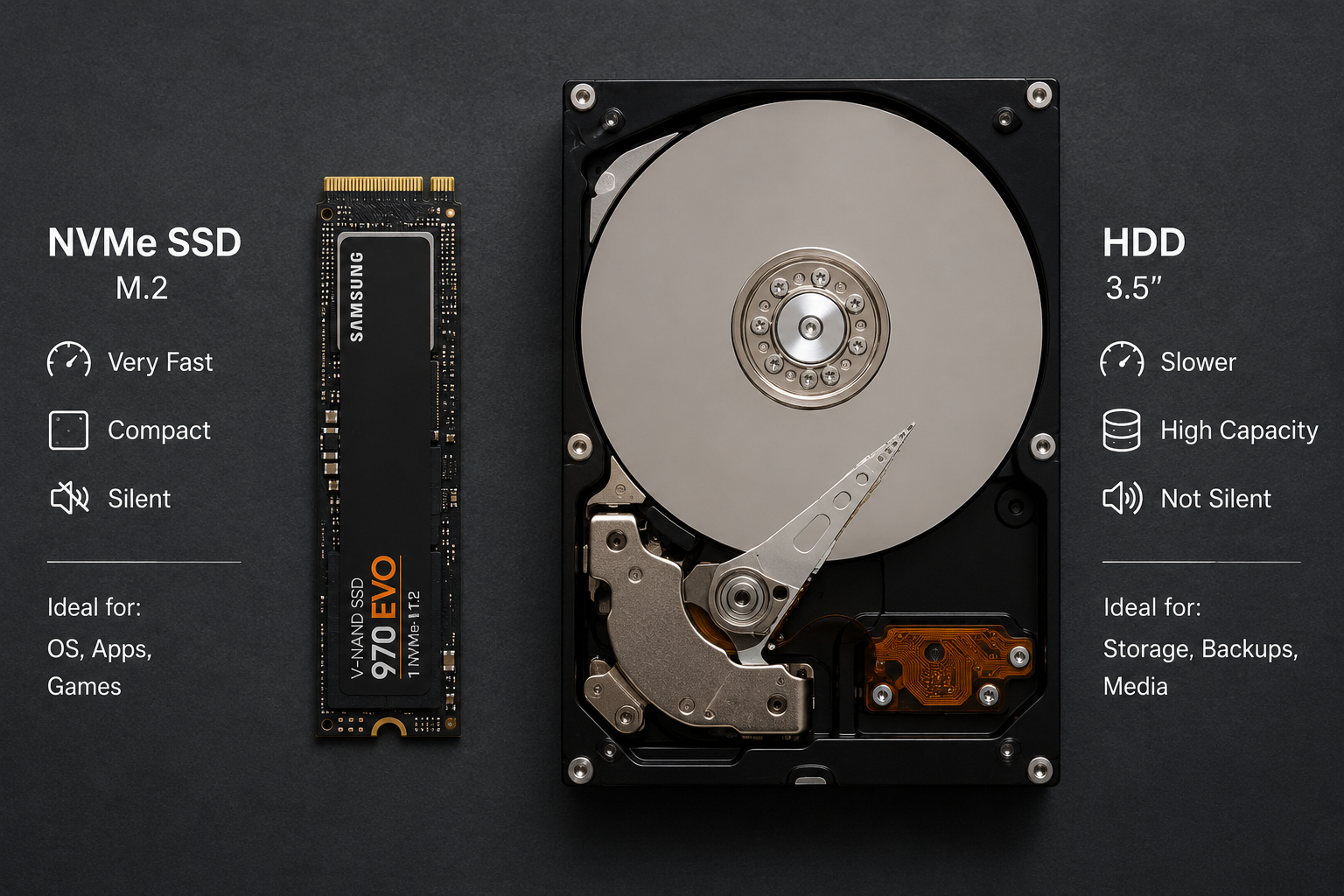
My recommended setup:
- 1TB NVMe SSD for your OS and DAW
- 2TB NVMe SSD (or more) dedicated to sample libraries
Keep your sample libraries on a separate drive from your OS. It keeps read/write operations from competing and makes future upgrades cleaner.
Step 3: RAM — Speed and Configuration
Once you've picked your RAM size (see the table above), configuration matters:
- Always run in dual-channel — 2×16GB is faster than 1×32GB because dual-channel doubles the memory bandwidth. Your CPU accesses both sticks simultaneously.
- Match your motherboard's max speed. If your board supports DDR5-6000, running DDR5-4800 leaves performance on the table.
- For audio work, 32GB (2×16GB) DDR4-3200 or DDR5-5600 is the practical sweet spot in 2026.
Step 4: Power Supply (PSU) and Case — The Overlooked Part
Most producers ignore this until they're recording a session and all they can hear is fan noise.
PSU: Get an 80+ Gold rated unit from a reputable brand (Corsair, Seasonic, be quiet!). A quality PSU runs quieter and cleaner. Aim for 650–750W for a standard music production build — headroom means the PSU never works hard enough to spin fans loudly.
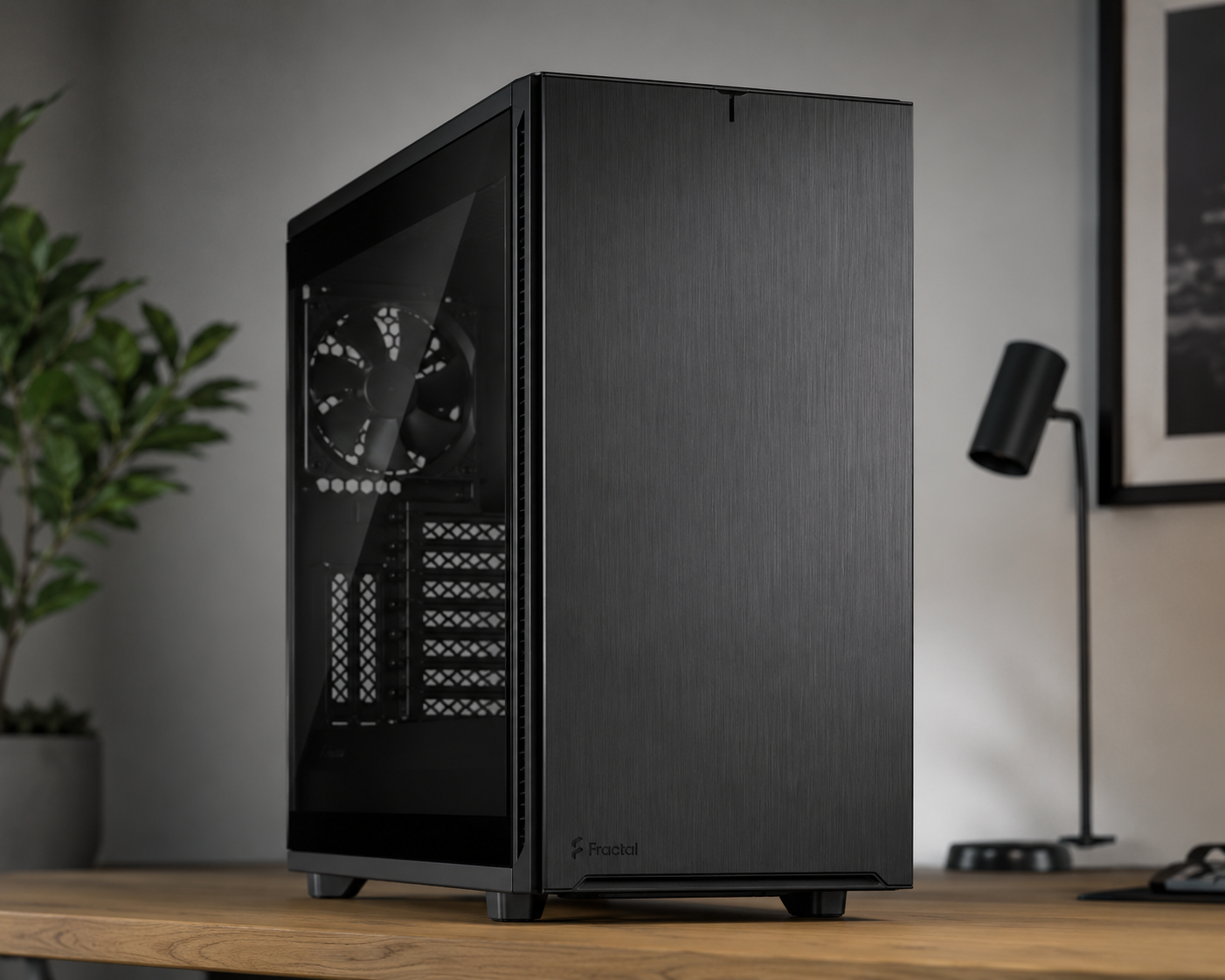
Case: If you're recording in the same room as your PC, noise dampening is a feature, not a luxury. Cases like the Fractal Design Define 7 or be quiet! Silent Base 802 are built for silent operation. Thick side panels, rubber-mounted hard drive bays, and strategically placed sound-absorbing foam make a real difference.
Cooling: For audio work, a high-quality air cooler (Noctua NH-D15, be quiet! Dark Rock Pro 4) is almost always better than AIO liquid coolers — fewer moving parts, no pump noise, and more reliable long-term. Liquid cooling is for overclockers, not studio builds.
Step 5: GPU
Your GPU is almost irrelevant for audio work unless you're doing video alongside music. A basic GPU (anything with display output) is fine. Skip the high-end GPU budget — redirect it to RAM or storage.
3 Questions That Tell You What You Actually Need
1. What's your heaviest instrument? If your most demanding instrument is a software synth (Serum, Massive X, Phase Plant), CPU matters more. If it's a sample player (Kontakt, Omnisphere, Keyscape), RAM is your priority. Know your signal chain before you build.
2. How many instances do you stack? Count how many Kontakt or Omnisphere instances you typically run in one session. Each full library instance can eat 2–8GB of RAM depending on the patch. Multiply by your instance count and add ~4GB for your OS and DAW overhead. That's your minimum RAM requirement.
3. Are you on Mac or PC? Apple Silicon changes the math significantly. The unified memory on M3/M4 chips is shared between CPU, GPU, and RAM — 16GB on an M4 MacBook Pro runs sessions that would require 32GB on a PC. If you're considering Mac, factor this in. For PC builders, stick to the recommendations in the table above.
Frequently Asked Questions
How much RAM for music production is enough in 2026? 16GB is the standard minimum for most producers in 2026. If you use large sample libraries like Kontakt or Omnisphere regularly, 32GB is the practical standard. 64GB is reserved for professional film/TV composers running 100+ track orchestral sessions.
Is 8GB RAM enough for music production? 8GB is technically functional for very basic sessions — simple MIDI, a few synths, no sample libraries. In practice, it's not enough for any serious workflow. You'll hit memory limits quickly in Ableton Live, FL Studio, or Logic once you add real instruments and effects.
Is CPU or RAM more important for music production? It depends on your workflow. CPU is more important if you run many real-time plugins and effects. RAM is more important if you use large sample libraries. Most producers hit RAM bottlenecks before CPU limits, so if you have to prioritize one upgrade, RAM usually gives you more immediate results.
Does RAM speed matter for music production? Yes, but not as much as capacity. DDR4-3200MHz is the minimum sweet spot. Faster RAM reduces latency between your memory and CPU, which helps with complex sessions. Running in dual-channel configuration (2 sticks instead of 1) gives you more bandwidth improvement than raw speed alone.
How much RAM does Kontakt use? Kontakt's RAM usage varies significantly by library and patch. A basic instrument patch might use 500MB; a full orchestral library with multiple mics and articulations loaded can use 4–8GB per instance. Running 4–6 Kontakt instances simultaneously is why 32GB has become the standard for producers who use it regularly.
Can I add more RAM later if I start with 16GB? Yes — RAM is one of the easiest components to upgrade on most desktop PCs and some laptops. Leave at least one empty RAM slot when you build so you can add more later without replacing what you already have. Check your motherboard's maximum RAM capacity before buying.
The Bottom Line
How much RAM for music production: 16GB minimum, 32GB if you use sample libraries, 64GB only if you're doing professional orchestral work. Don't cheap out on RAM speed — run dual-channel DDR4-3200 or faster. And don't let your sample libraries sit on a spinning hard drive; an NVMe SSD is the upgrade that makes 32GB RAM actually perform like 32GB. Build your studio rig around your actual workflow, not spec sheet maximums.
More on the technical side of running an independent studio in the Craft section. And if gear decisions are eating your time — read how to finish more songs, because better specs mean nothing if projects never get done. If you're also thinking about the best AI tools to add to that setup, that's the next logical stop.

Snax
Moroccan producer from Morocco. Credits include Dj Hamida, Leck, Small X, and Abduh — plus advertising campaigns for Spotify, BYD and more. At Beatonomy, he writes about the craft and business behind independent production.
The producer's edge, weekly.
No gear hype. No fluff. Strategy, systems, and the business of making music — delivered every week.